Download RF View
Free for Windows and Android. Upgrade to Pro inside the app or on the pricing page.
Windows
Windows 10/11, 64-bit · v1.0.11 · 21 MB
Your browser may warn about the download because the installer does not have a code-signing certificate yet. It is safe to keep it; extract the zip and run the setup file.
Android
Android 8.0+
Free to install, with an in-app Pro purchase.
What you get
S-parameter plot
Load Touchstone files (.s1p to .s4p) and view magnitude, phase, group delay and Smith charts with markers.
Circuit simulator
Build a circuit from ideal and real components, then plot its response next to your measurement.
Automatic matching
Auto Match tries several L-network topologies and loads the best matching network into the simulator, ready to tune by hand.
PowerPoint reports
Generate a PowerPoint report of your plots and results with one click (Gen. PPT) instead of pasting charts by hand.
De-embedding
Remove fixture and cable effects at the input and output ports before you read the numbers.
VNA control
Connect a Keysight ENA or PNA over GPIB to capture screenshots and S-parameters (Windows).
Config files
Save the whole workspace, graphs and settings in one file and reopen it later.
SNP converter
Batch-convert SNP files: RI, MA and dB formats, port mapping, slicing and CSV export.
Screenshots
RF View for Windows.
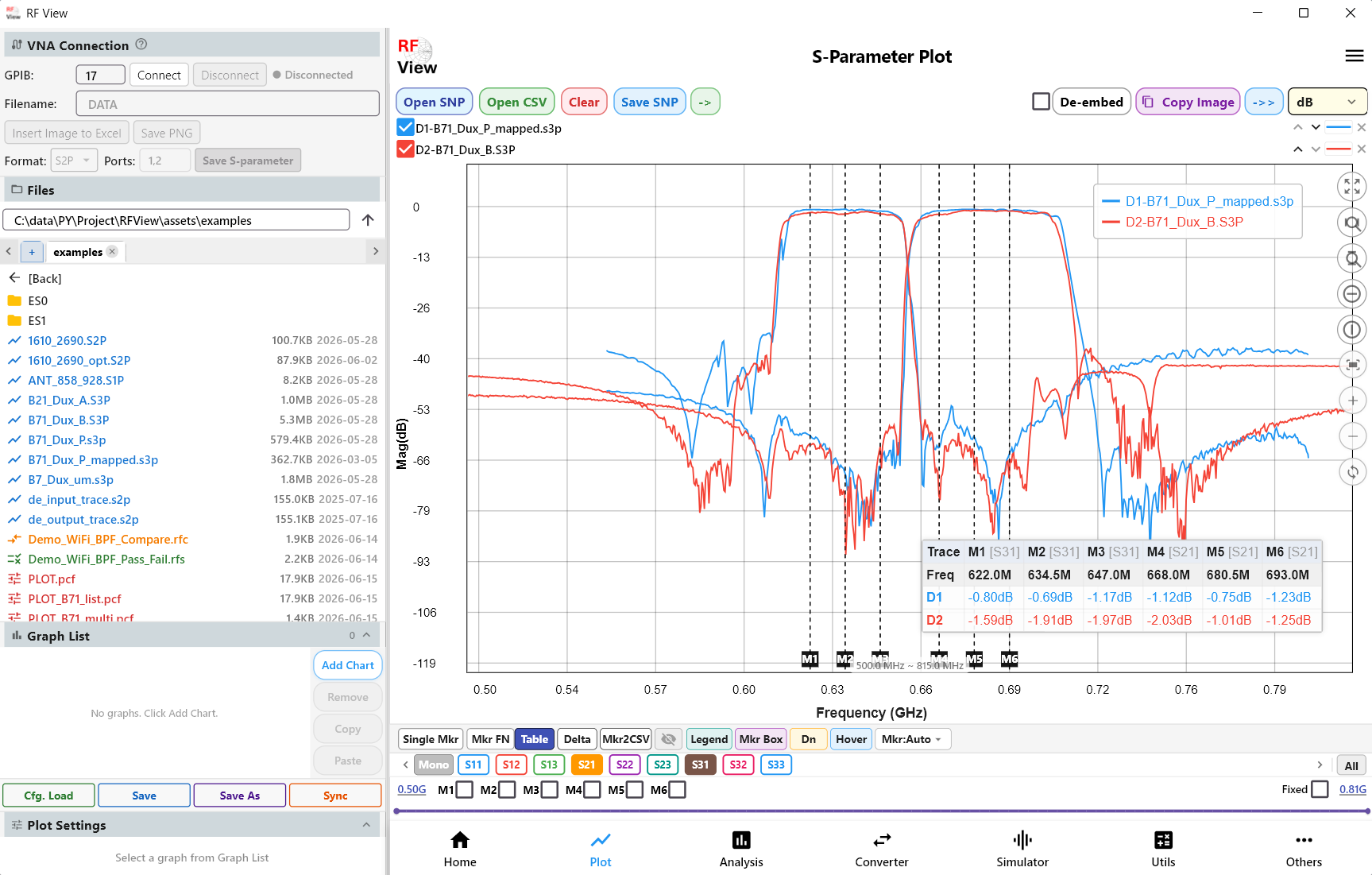
S-parameter plot Two duplexer measurements overlaid, with six markers and the marker table.
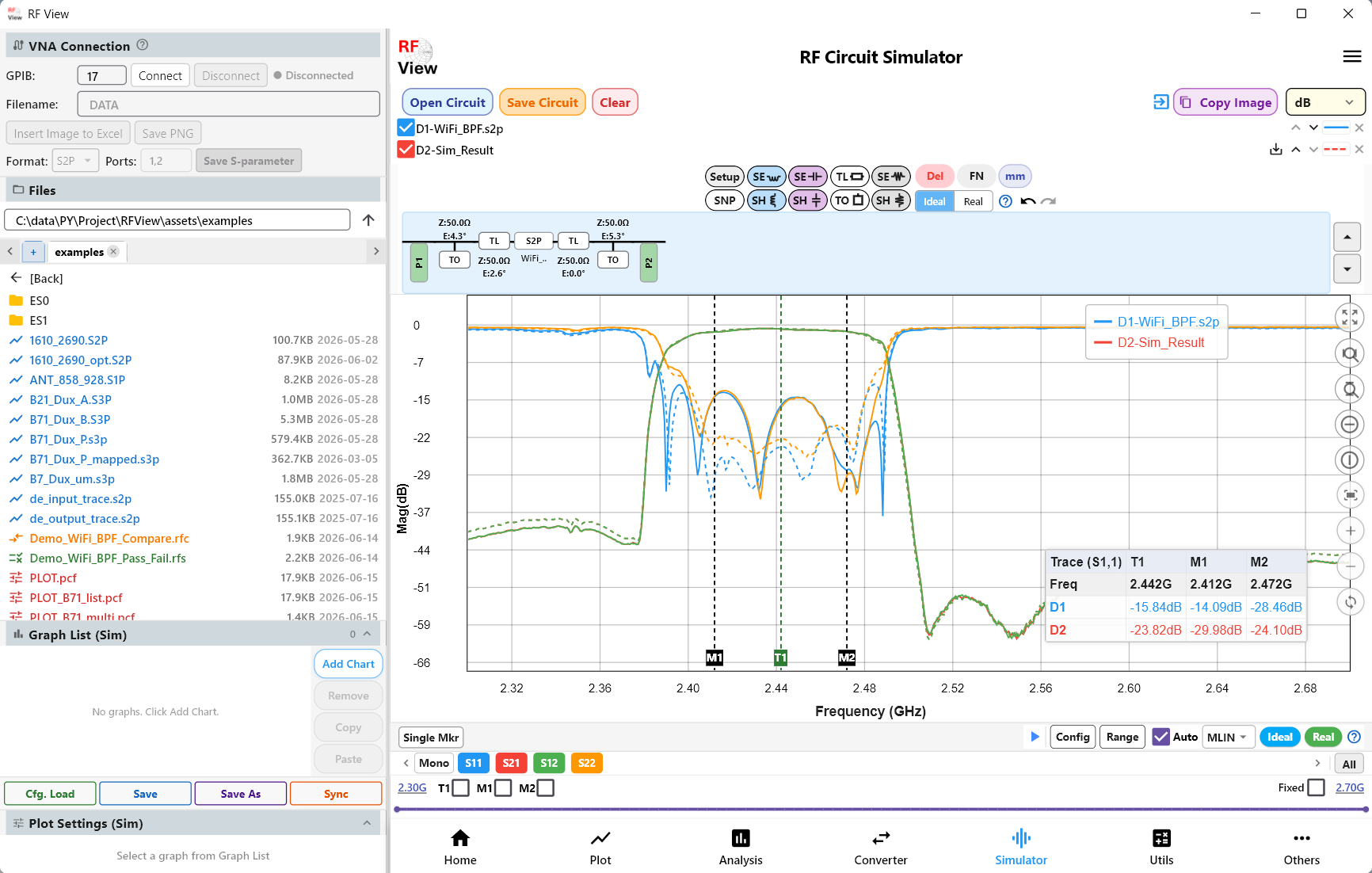
Circuit simulator A matched circuit built with Auto Match, plotted against the measured response.
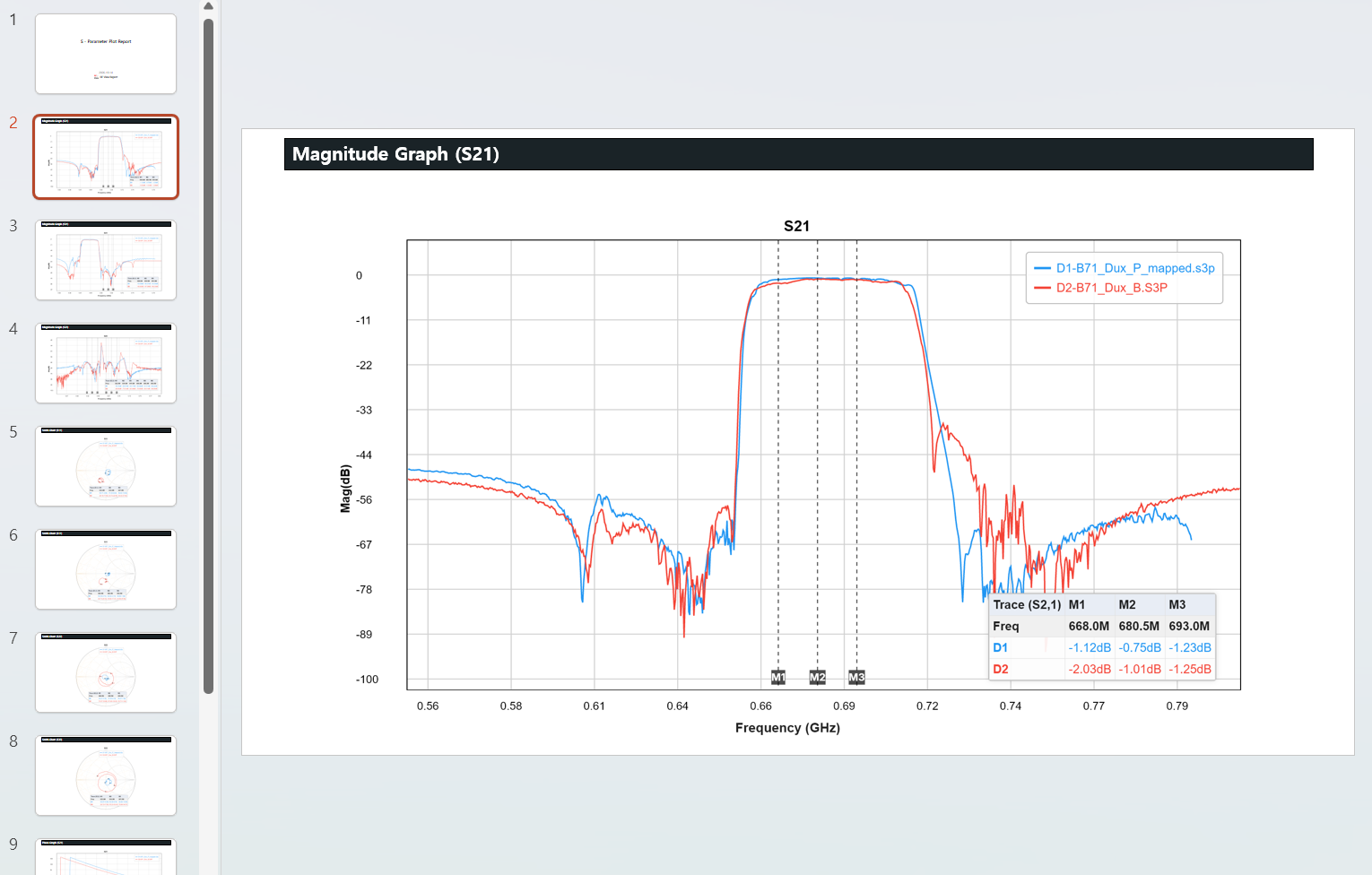
PowerPoint report One click turns your plots into a PowerPoint report: a slide per graph, with markers and tables.
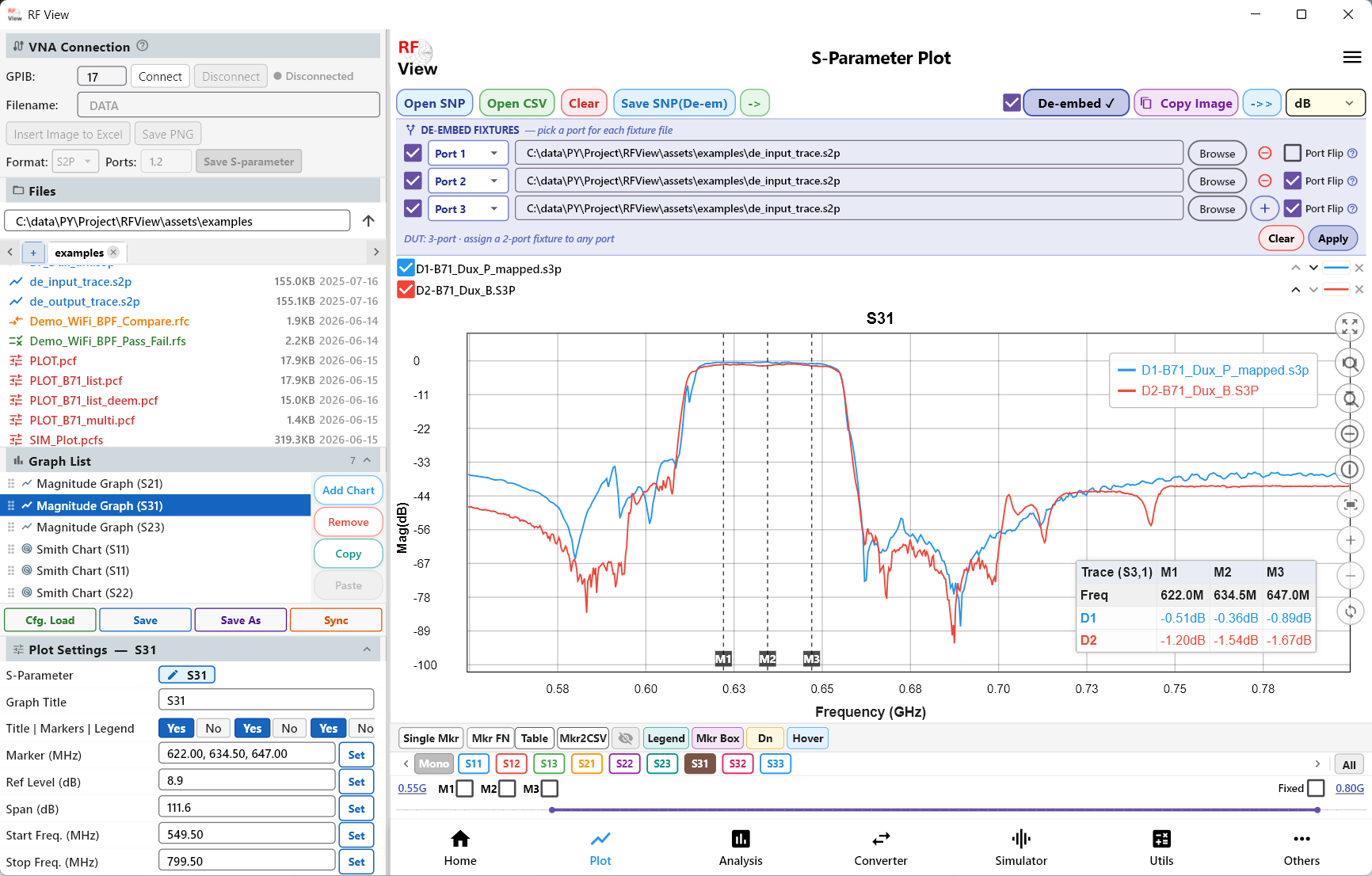
De-embedding Fixture effects removed from a measurement.
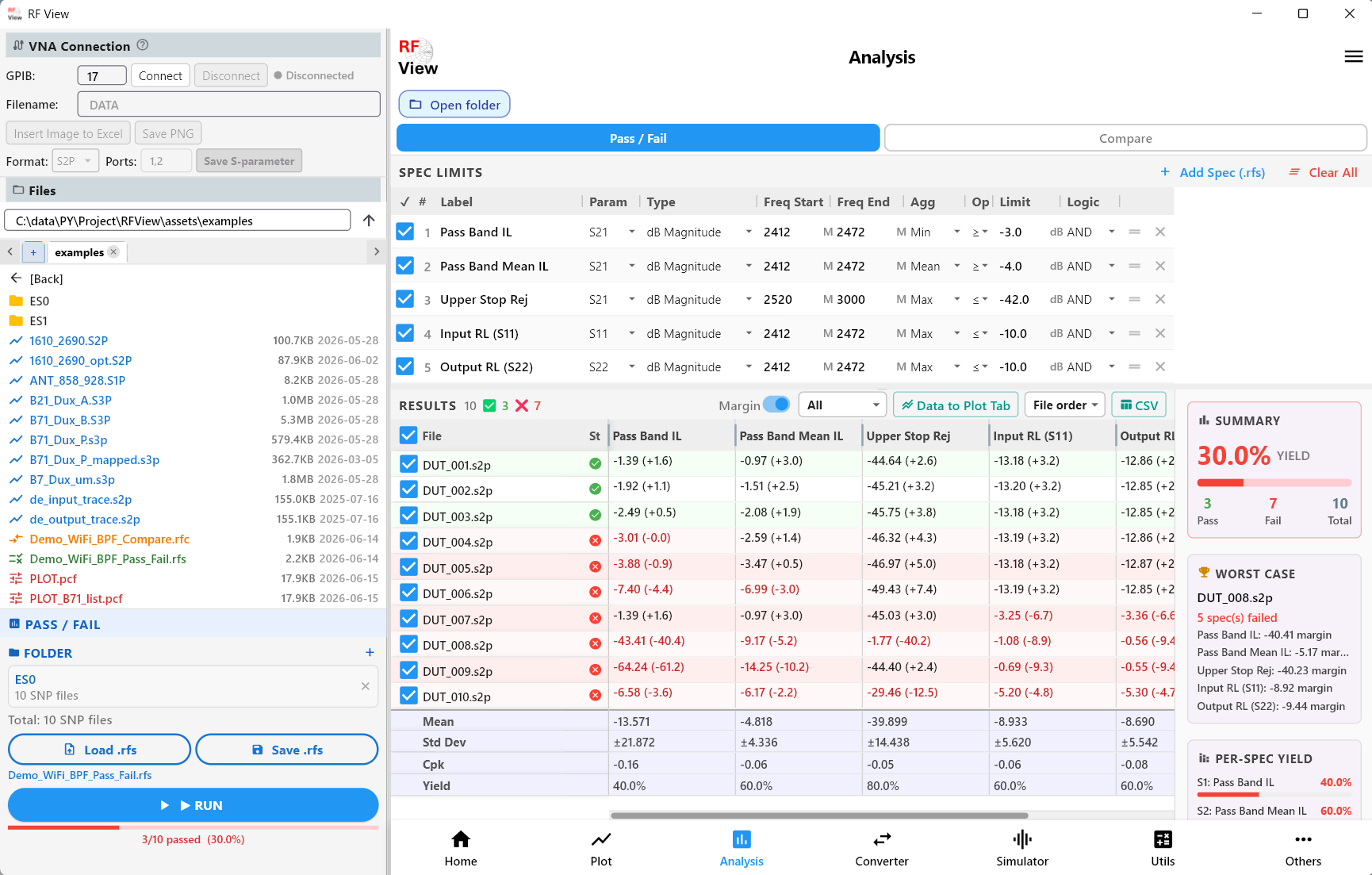
Analysis Pass/fail checks against a spec limit.
Video demos
Short YouTube demos of RF View in action.
RF View Desktop Overview
Full walkthrough of RF View for Windows: S-parameter plot, VNA control, circuit simulator and analysis.
RF View App Intro
S-parameter, Smith chart and auto impedance matching overview.
One-click auto S2P matching
Instantly generate a matching network from any S2P file.
1-click GaN HEMT matching
L/C and microstrip impedance matching for GaN power amplifiers.
S-parameter port change
Remap and reorder S-parameter ports in seconds.
More on our YouTube channel. The videos open on YouTube. We do not embed them, so this page does not load anything from YouTube.
Android screenshots
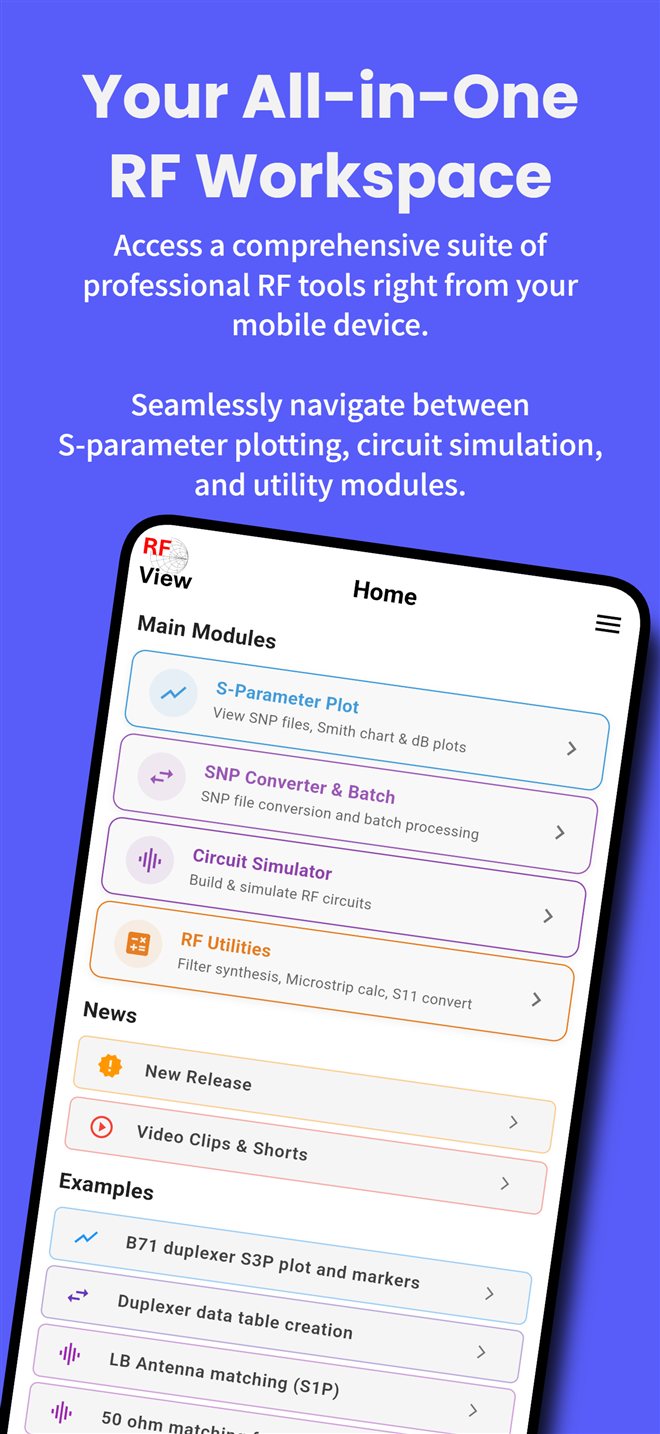
All-in-one RF workspace Plot, converter, simulator and utilities from one home screen.
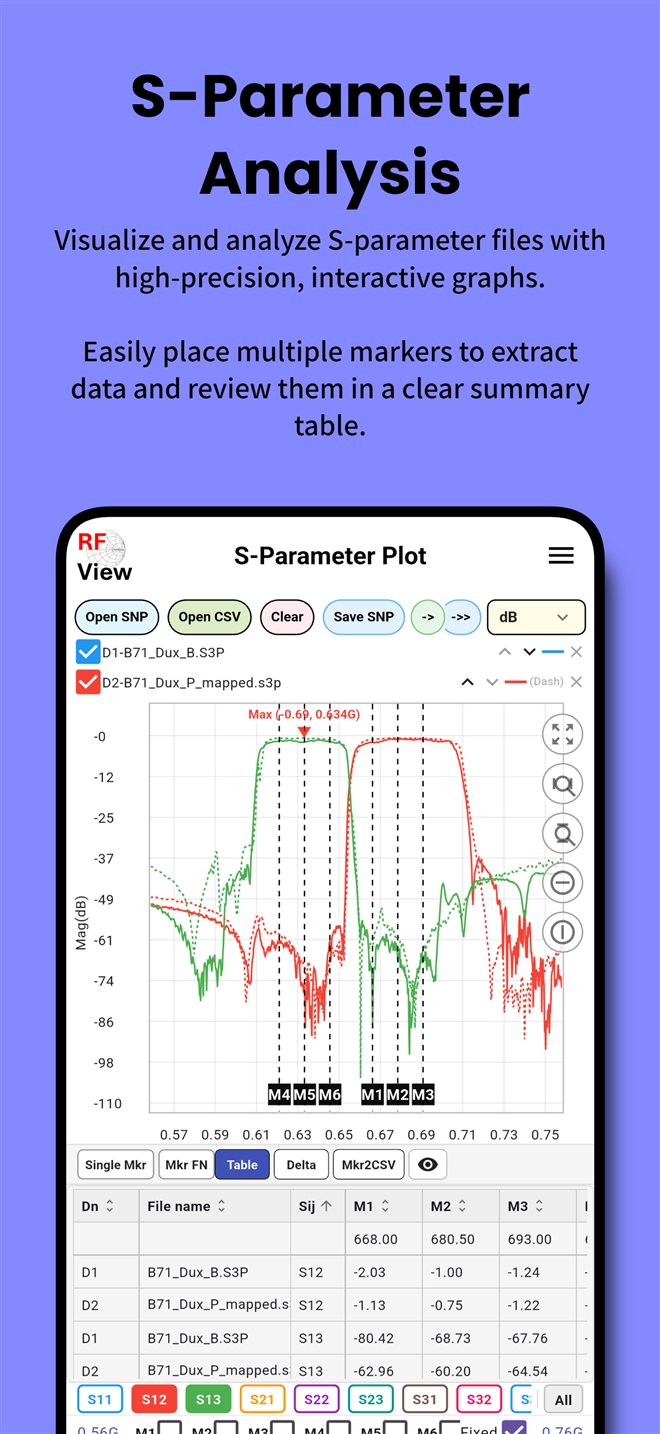
S-parameter analysis Place several markers and read them in a summary table.
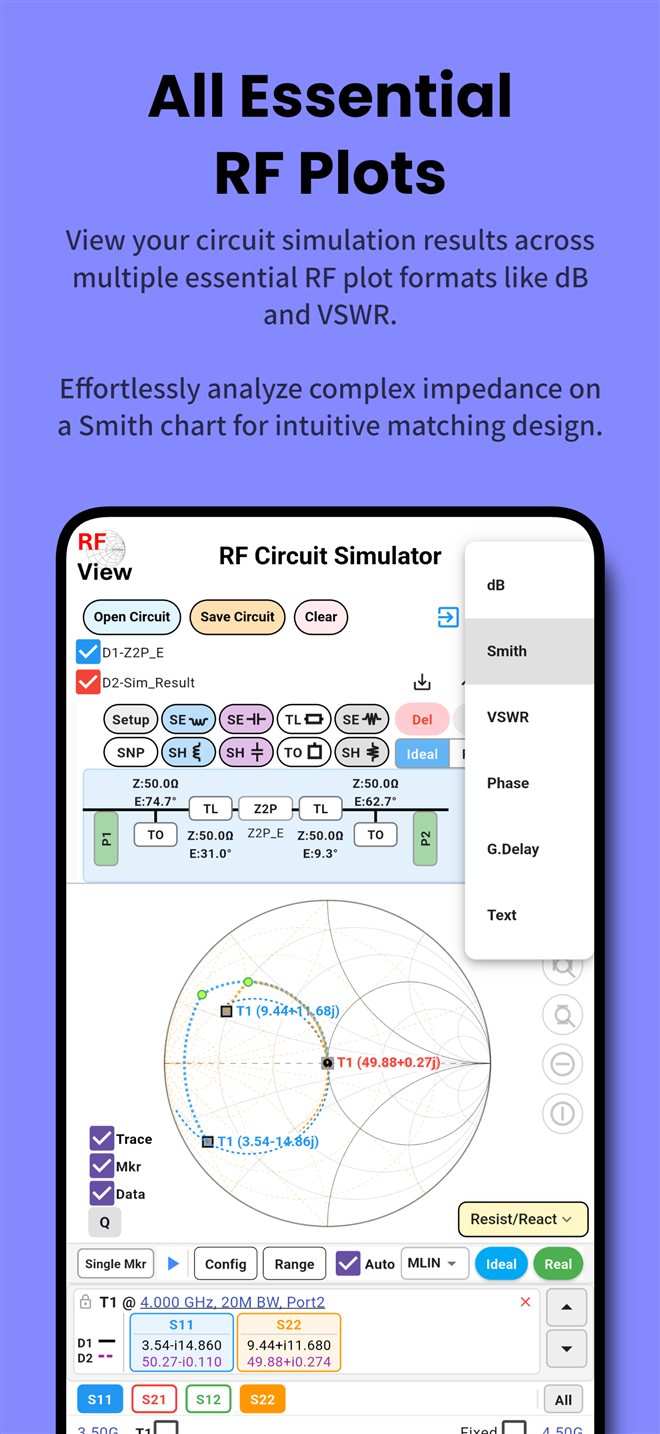
Smith chart and plots Read the same data as dB, phase, VSWR, group delay or on a Smith chart.
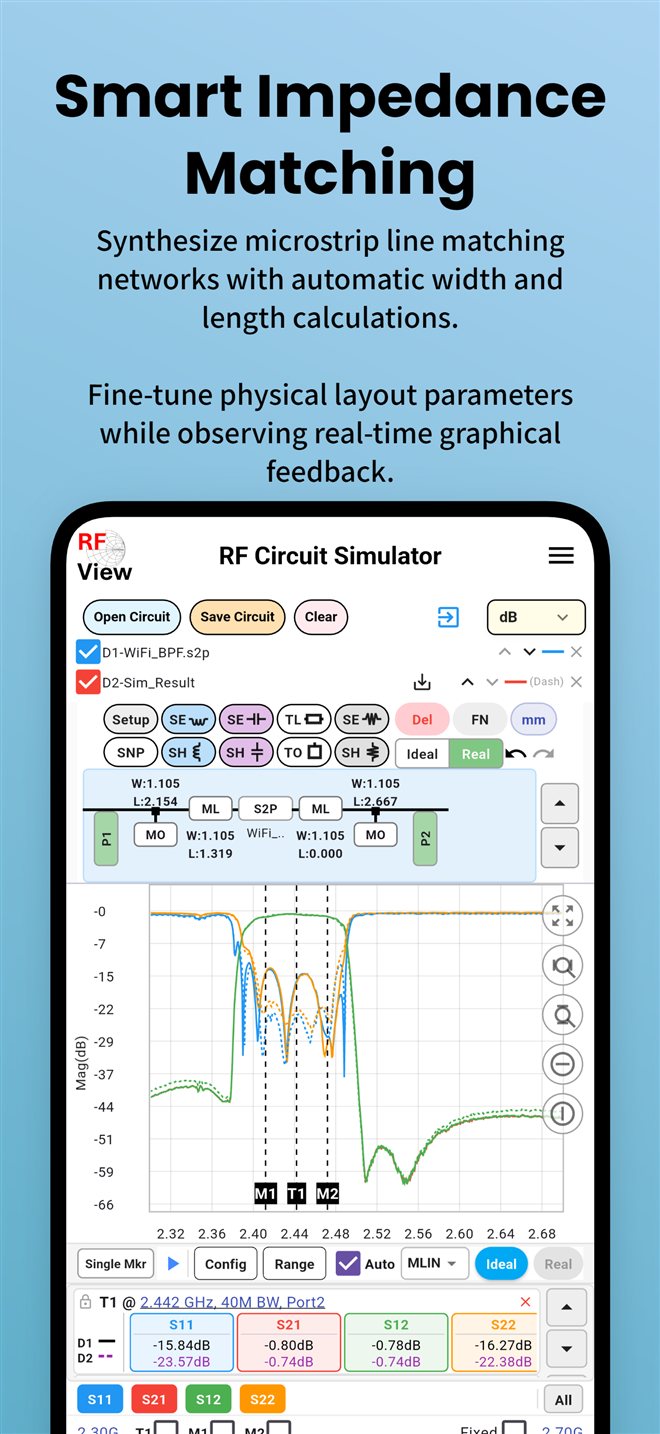
Microstrip matching Turn a matching network into microstrip line widths and lengths.
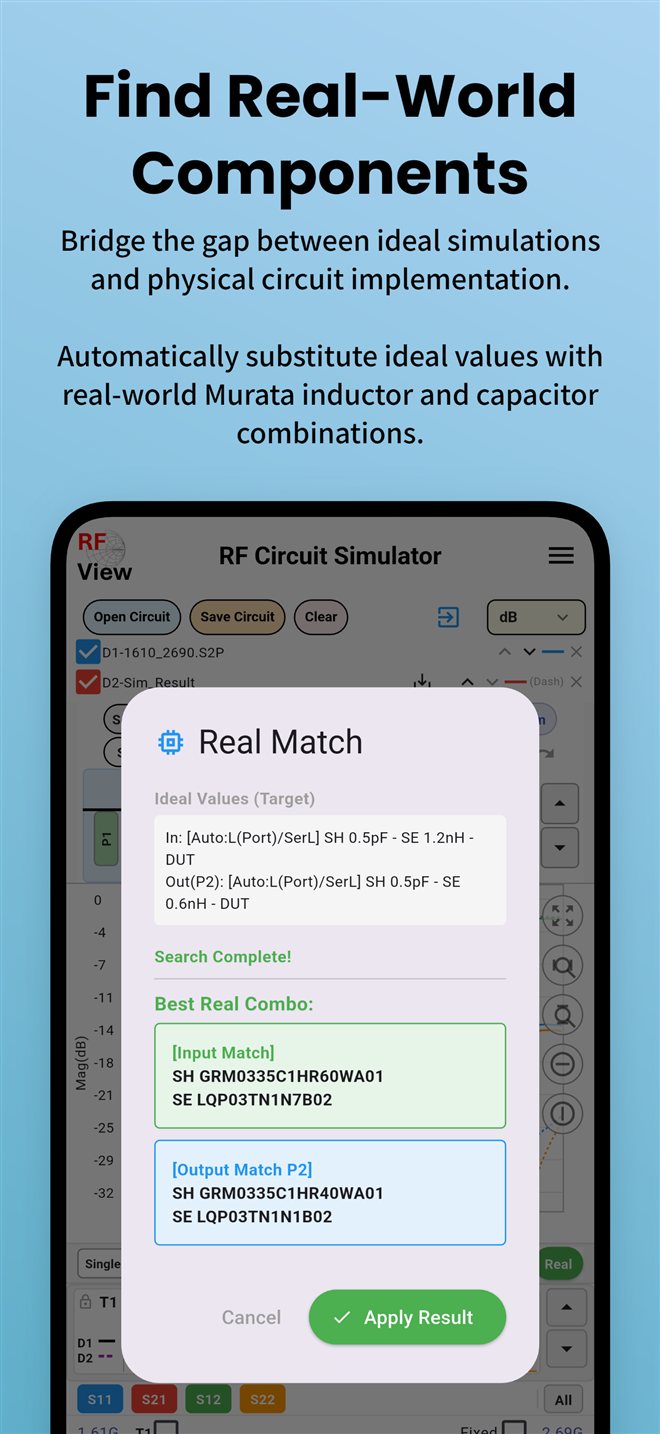
Real components Replace ideal values with real inductors and capacitors.
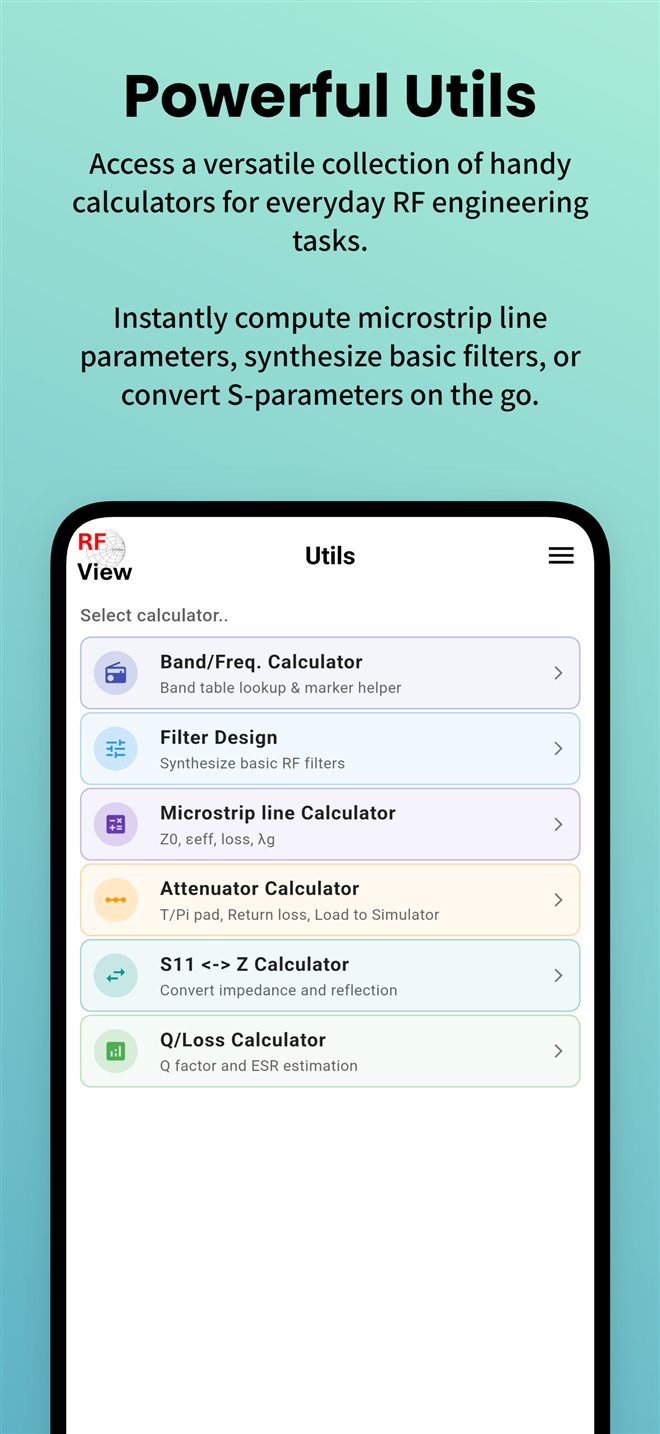
RF utilities Filter design, microstrip, attenuator, S11 to Z and Q/loss calculators.
How to use it
Step-by-step help is in the user guides: RF View for Windows and RF View for Android. New to S-parameters? Start with the tutorials.
Pro license
On Windows, Pro is a one-time purchase for up to two devices. After checkout the license key is emailed to you; enter it on the Pro screen in the app and press Activate. On Android, Pro is a separate one-time in-app purchase on Google Play ($3.99). What each Pro unlocks is listed on the pricing page. See pricing for what Pro adds.